

Integrations Overview
August integrates with the productivity and practice management tools law firms already depend on — without disrupting established workflows. All integrations sync bi-directionally with the August platform.
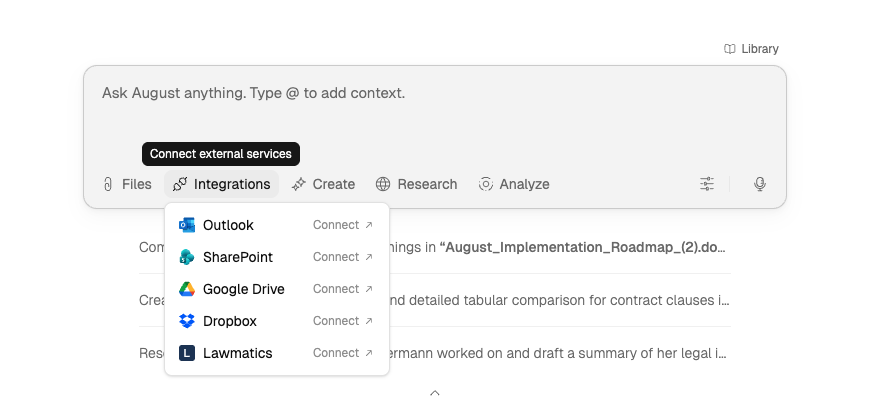
Microsoft Outlook Integration
Email analysis, attachment review, and context-aware drafting directly from your inbox.
Microsoft SharePoint Integration
Central document repository and DMS connector — search, import, and sync SharePoint documents with August.
Google Drive Integration
Document upload, folder sync, and collaborative access — connect matter folders for AI analysis.
Dropbox Integration
Document upload and folder sync — connect Dropbox folders to access files in August workflows.
Lawmatics Integration
Client data, matter management, and intake automation — sync practice context into August.
Clio Integration
Matter and contact search, document import, and matter linking for practice management context.
iManage Integration
Search, browse, and import documents from your firm's iManage workspaces and libraries.
Production Archive Import
Document production import — upload production archive packages (Relativity, Concordance) for analysis, review, and extraction workflows.
Quick Reference: Setup Requirements
Integration | Minimum Tier | Admin Consent |
Microsoft Outlook | Microsoft 365 Business | Yes — tenant-level |
Microsoft SharePoint | SharePoint Online (cloud only) | Yes — site-level minimum |
Google Drive | Google Workspace Business | Optional — domain-wide delegation |
Dropbox | Professional / Business | Yes — for team folders |
Lawmatics | Active subscription | No |
Clio | Active subscription | No — per-user OAuth |
iManage | Firm-hosted iManage access | No — per-user OAuth |
On-premises SharePoint is not currently supported. SharePoint Online (cloud only) is required for integration.
Clio and iManage are rolling out gradually. If you don't see one of them as an option, ask your firm admin whether it's enabled for your account.
How to Connect an Integration
All integrations use OAuth 2.0 authentication. No passwords are stored by August.
Open Integrations
Open Integrations from the left navigation menu and select the target service.
Authenticate
Complete the OAuth 2.0 flow. This opens a secure login page from the integration provider. No passwords are stored by August.
Grant Consent
Grant admin consent if required. Some integrations need admin-level approval for organization-wide access.
Select Folders
Browse and pick the specific folders you want connected to August. Sync begins automatically.
Authentication and Security
All integrations use industry-standard OAuth 2.0 authentication:
Outlook and SharePoint: Azure AD / Microsoft Graph API
Google Drive: Google OAuth 2.0
Dropbox: OAuth 2.0
Lawmatics: API Key or OAuth
Clio: OAuth 2.0
iManage: OAuth 2.0 with PKCE
Your credentials are never stored by August. Authentication tokens are encrypted and managed securely according to August's Security and Privacy Overview.
What to Read Next
Assistant Overview to start working with documents from your integrations.
Security and Privacy Overview for details on how August protects your data.