

Column Types and Response Formats
When building a Tabular Review, each column extracts a specific type of information from your documents. Choosing the right response type ensures consistent, usable output across all rows.
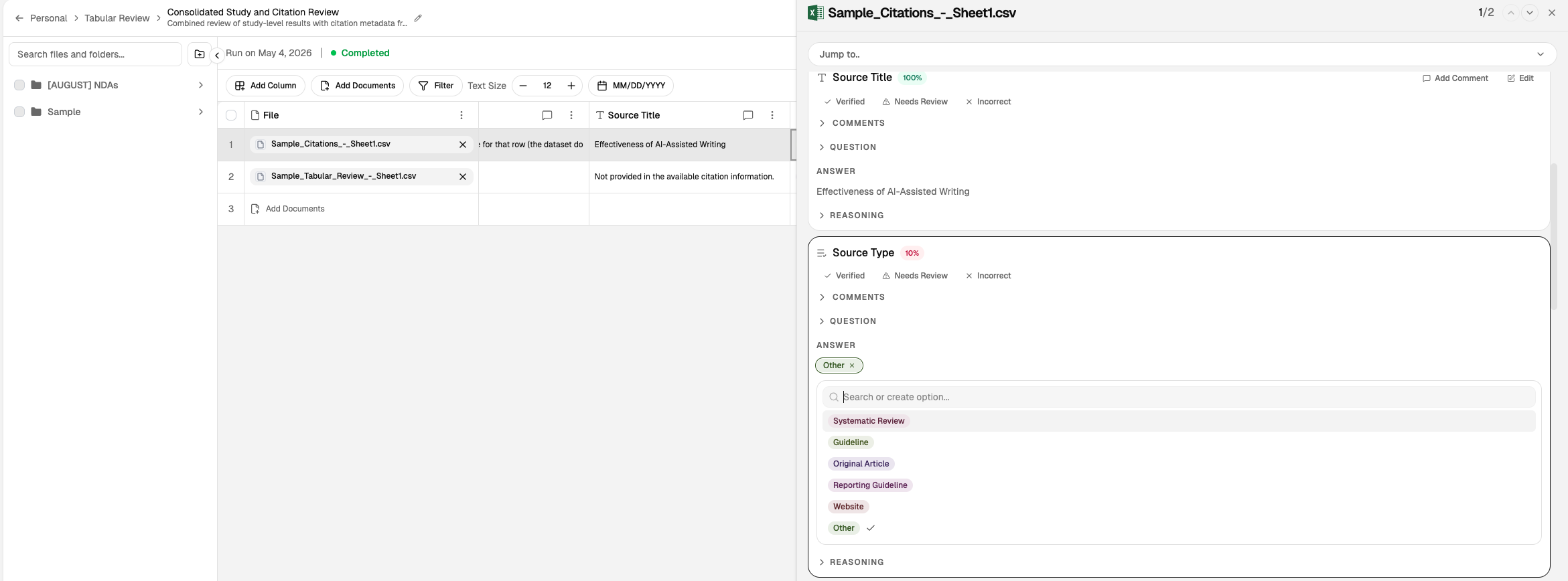
Response Type Reference
Select the response type that matches the data you're extracting:
Type | Description | Example Use |
|---|---|---|
Text | Free-form text output | Party names, clause summaries, descriptions |
Boolean | Yes/No or True/False | Does the contract contain an arbitration clause? |
Number | Numeric values | Contract value, liability caps, term length |
Date | Date values in ISO format | Effective date, expiration date, renewal dates |
Single select | One option from a predefined list | Governing law jurisdiction (one of N states) |
Multi select | Multiple options from a predefined list | IP types covered (patents, trademarks, copyrights, trade secrets) |
Verbatim | Exact language from source document | Specific clause text, defined terms, quoted provisions |
Auto | August chooses the most suitable format | When you want the system to infer the best type |
Choosing a Response Type
Use Text for open-ended extractions like names, summaries, or descriptions.
Use Boolean when you need a yes/no answer, such as presence checks.
Use Number for quantitative data that will be compared or aggregated.
Use Date for timelines, term tracking, and deadline calculations.
Use Single select when the answer is exactly one option from a known set.
Use Multi select when multiple options can apply simultaneously.
Use Verbatim when you need exact language from the source, such as for comparison or verification.
Use Auto when you're unsure or want August to infer the best format.
Creating Columns
When you add a column, specify:
The name of the data point you're extracting.
The response type from the list above.
For SELECT types, the options to include in the list.
An optional prompt to guide extraction behavior.
Verbatim vs. Other Types
Verbatim extracts exact language from the source document. This is useful when you need to:
Preserve specific clause wording for comparison
Capture defined terms exactly as written
Verify language matches across documents
Other types normalize the output. For example, Text may paraphrase or summarize, while Verbatim preserves the original.
Consistency Across Reviews
Use consistent column typing when creating reusable templates. If you save a review as a template, the column types and options are preserved for future use.
What to Read Next
Tabular Review Overview for the row/column model and how to build reviews.